Digital menus for restaurants, cafés & hotels
Print the QR once. Change the menu forever.
iNoqta QR Menu turns your PDF or photos into a page-turning digital menu — in every language you serve, behind one permanent QR code.
- Free for 12 months
- No credit card
- Then $1/month

- Risotto aux truffes24
Carnaroli, parmesan 24 mois
- Pâtes fraîches17
Pesto de basilic, pignons
- Tarte au chocolat8
Crème crue, fleur de sel
OlivePrintemps

- Burrata & tomates12
Huile d’olive, basilic
- Velouté de potimarron9
Noisettes torréfiées
- Tartare de saumon14
Agrumes, aneth
Why switch
Paper menus go out of date the day a price changes, and PDFs pinch-and-zoom badly on a phone. iNoqta QR Menu keeps the feel of a printed menu — and drops the reprinting.
From PDF to table in three pages.
No designer, no app for guests to install, no new hardware — just the menu you already have.


- Step 01
Upload the menu you already have
Drop in a PDF or photos of your pages. Each page is optimised for phones, so it opens quickly at the table.
- Step 02
Make it look like your place
Set your colours, logo and cover, choose how guests browse, and add a version for every language you serve.
- Step 03
Print the QR code once
Put it on your tables and edit the menu whenever you like. Prices, specials, whole pages — the code never changes.
Viewing styles
Four ways to read. One link.
Flipbook. Two-page spreads that turn like your printed menu.
Maison Olive
Risotto aux truffes
€24
Pâtes fraîches
€17
Pages 2–3 · swipe to turn
What’s inside
Everything a menu needs. Nothing it doesn’t.
- 01
Every language, one QR code
Add a version of the menu for each language you serve. Guests pick theirs on the first screen.
- 02
A code you print once
Change prices, swap the specials, add whole pages. The QR on the table always opens the latest menu.
- 03
Four ways to browse
Flipbook, swipe, list or cards — choose the one that suits your food and your guests.
- 04
Dietary tags & allergens
Mark dishes vegan, halal, gluten-free or spicy, and list the allergens guests ask about.
- 05
Ordering when you want it
Switch on ordering for your restaurant and guests can order straight from the menu.
- 06
Know what gets read
See when your menu is scanned and which menus are opened, right from your dashboard.
Food looks better on a page that turns.
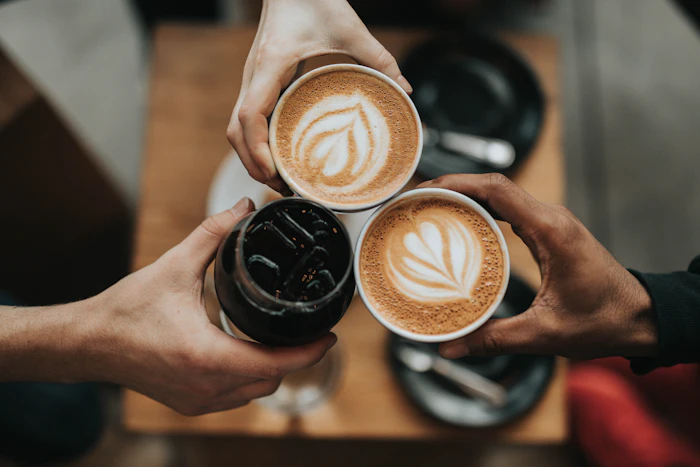
Photography: Unsplash.
Pricing
Free for a year. Then a dollar a month.
Your first 12 months
$0
- 1 restaurant
- 1 menu, in as many languages as you add
- 1 permanent QR code
- No credit card required
After that
$1/month
Keep the same QR code and everything you have built. Cancel any time — there is nothing to install and nothing to return.
Questions
Good to know.
Do I need to reprint the QR code when the menu changes?
No. The code points to your menu, not to a file. Edit anything in the dashboard and the next guest who scans sees the new version.
What do I need to get started?
Your current menu as a PDF or as photos of each page. Upload it, pick a style, and download your QR code.
Is it really free?
Yes. One restaurant, one menu and one permanent QR code are free for 12 months, with no credit card. After that it is $1 a month.
Do guests need to install an app?
No. The menu opens in the phone’s browser as soon as the code is scanned.
How do multiple languages work?
You add a language version of your menu and choose a default. Guests scanning the same code choose their language before the menu opens.
Can guests order from the menu?
If you turn ordering on for your restaurant, yes. If you only want a menu, leave it off.
Can I make it match my brand?
Yes. Set your colours, logo and cover, and choose the viewing style that suits your food.
Your tables are waiting.
Free for 12 months · No credit card